 Fluxx Tech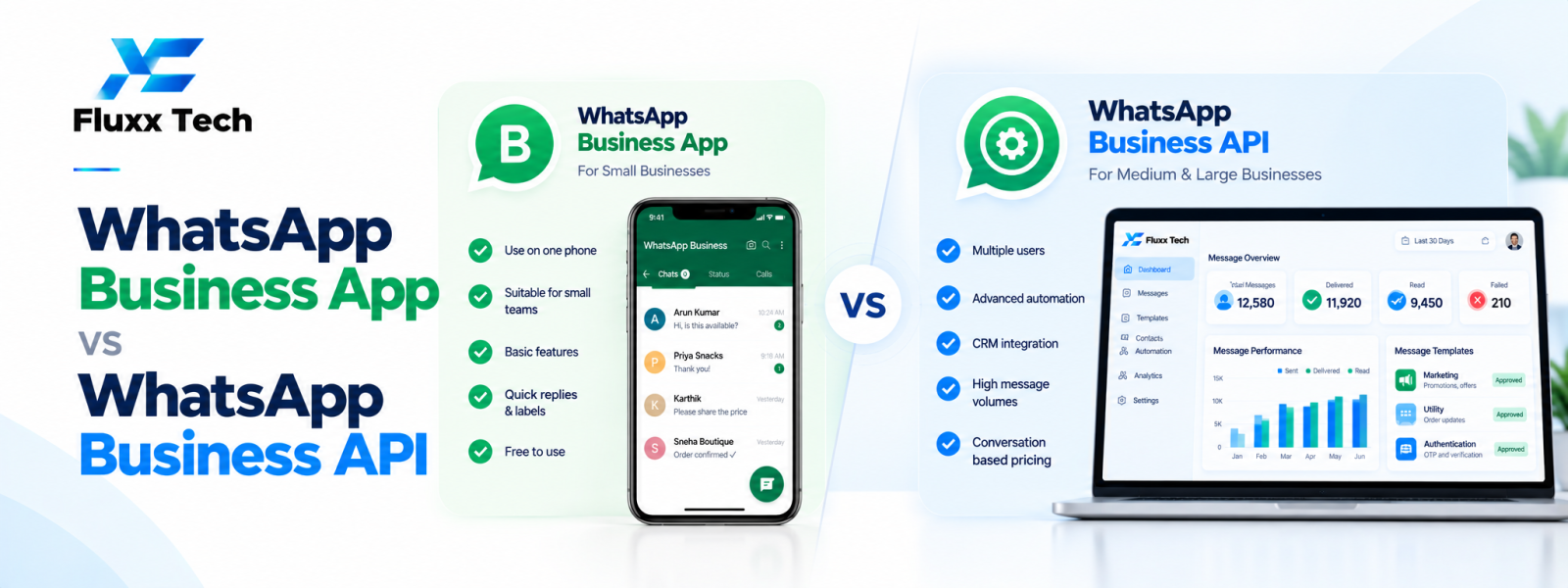
Choosing between the WhatsApp Business app vs API depends on how your team communicates with customers and how much automation or integration you need. The WhatsApp Business app is designed for businesses managing conversations through an app-based experience. The WhatsApp Business Platform API is intended for businesses that need to connect WhatsApp messaging to software, workflows and larger team operations. Features, limits and eligibility can change, so check current official documentation before deciding.
What is the WhatsApp Business app?
The WhatsApp Business app provides business-oriented messaging tools such as a business profile and features intended to help smaller teams organise customer conversations. It can be a practical starting point when one person or a small team manages enquiries without complex integrations.
Review the current app capabilities, device and account limits, backup options and applicable policies. Do not assume that every feature available in a third-party tool is part of the native app.
What is the WhatsApp Business Platform API?
The WhatsApp Business Platform allows eligible businesses to integrate WhatsApp messaging with their own software or a platform provider. It can support workflows such as notifications, customer support routing, approved templates, automation and integration with CRM or order systems, depending on the implementation.
The API is not simply a larger version of the app. It normally requires technical setup, a provider or direct integration approach, configuration and ongoing operational ownership. Teams should plan for message policy requirements, account quality and support.
Key differences to compare
Team workflow: Assess how many people need to respond, whether conversations must be assigned and whether managers need visibility into service performance.
Automation: Determine whether you need structured workflows, chatbot logic, event-triggered notifications or integrations with business systems.
Integration: Consider whether messages should be linked to orders, appointments, leads, tickets or customer records.
Reporting: Check whether the business needs team performance reports, conversation history, campaign results or operational analytics.
Cost and setup: Compare platform charges, provider fees, development effort, training and ongoing maintenance.
Policy and governance: Define who can send messages, how templates are approved and how opt-in, opt-out and customer requests are managed.
When the app may be enough
The app may suit a small business with manageable conversation volume, simple customer support and limited integration needs. It can help the team get started without building a connected software workflow.
However, as the team grows, shared access, assignment, reporting or integration requirements may become harder to manage. Identify the specific limitation before deciding to upgrade.
When to consider the API
Consider the Platform API when you need a shared team inbox, automated order updates, CRM connections, appointment workflows, customer support routing or messaging triggered by business events. The benefits depend on the quality of the implementation and the relevance of the messages.
Prepare a clear use case, map the customer journey, estimate usage and choose a provider or implementation partner that can explain setup, support, pricing and policy requirements.
Plan an upgrade carefully
Document existing customer communication, approved templates, phone number arrangements and the team's support process. Confirm current migration and coexistence options from official documentation; availability and eligibility may vary.
Test the new workflow with a small group, train agents, configure permissions and verify message templates before expanding. Keep customer experience and continuity at the centre of the change.
Conclusion
In conclusion, a well-planned WhatsApp business workflow should make communication more useful for customers while remaining organised, permission-based and aligned with the platform’s current policies. Define the use case first, configure the right tools and templates, test the customer journey and monitor message quality and outcomes. Review official WhatsApp and Meta guidance before making decisions about pricing, eligibility or policy requirements. With clear processes and relevant communication, businesses can use WhatsApp more effectively for customer conversations and support.
Frequently Asked Questions
Is the API better than the WhatsApp Business app?
Not for every business. The app may suit simple conversations; the API is more suitable when integrations, automation or structured team workflows are needed.
Can the API connect to a CRM?
Yes, when the chosen platform or implementation provides the required integration. Verify the supported data flow and permissions.
Should every small business upgrade to the API?
No. Upgrade when a clear operational need justifies the added setup and ongoing cost.